APM44 Bridge
Keep your DAW at 44.1 kHz and monitor on AirPods Max over USB-C, which runs at 48 kHz. APM44 Bridge adds a virtual 44.1 kHz output device and resamples to your headphones, so the session rate never has to change.
macOS 14 or newer · Apple silicon or Intel · AirPods Max over USB-C · Free and open source (MIT)
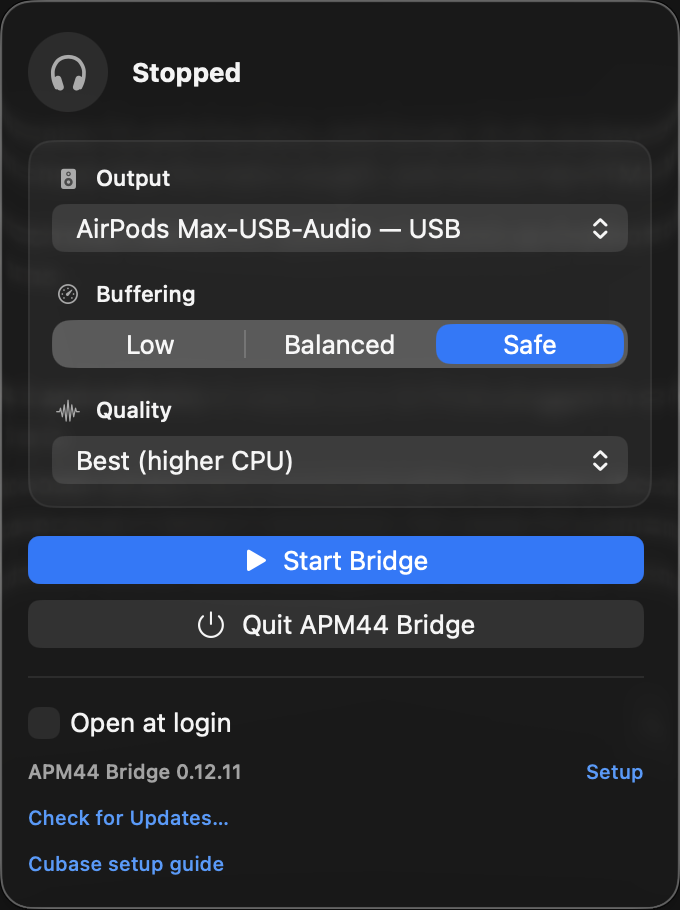
Quick start
- Open the DMG and run the installer. It installs the app and its audio driver, then opens the app.
- In your DAW, choose APM44 Bridge as the audio output. In Cubase, assign Control Room Monitor L/R to APM44 Bridge.
- In the menu-bar app, pick your AirPods and press Start.
Step-by-step: install guide and Cubase first-run guide.
Features
- A virtual 44.1 kHz output device, APM44 Bridge, that any DAW can select.
- High-quality resampling to 48 kHz (libsamplerate) with automatic clock-drift correction.
- Picks your USB-C AirPods Max automatically and lists other compatible 48 kHz outputs.
- Buffering presets (Low, Balanced, Safe) and resampling Quality (Standard, High, Best).
- Lives in the menu bar, with Start/Stop, Open at login and guided Setup.
- Updates itself: checks at launch, or on demand with Check for Updates…; app and driver always update together.
- Clear guidance when the audio driver needs a reload or reinstall.
How it works
Cubase 15 / your DAW44.1 kHz
↓
APM44 Bridge virtual output device44.1 kHz
↓
apm44-bridge resampler with drift control↓
AirPods Max over USB-C48 kHz
The headphones are never retuned to 44.1 kHz. APM44 Bridge presents a virtual 44.1 kHz Core Audio device upstream, resamples in user space, corrects clock drift, and plays to the physical 48 kHz endpoint.
Tested with Cubase 15. Logic Pro and Ableton Live are not yet validated — see the DAW validation matrix. BlackHole is an optional legacy route and is not required.